breakpoint.js
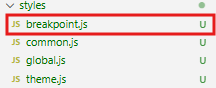
- 미디어 사이즈를 정의하는 파일
- 모바일, pc, 태블릿 등 미디어별로 이펙트 부여 가능
<styles > breakpoint.js>
const size ={
  mobile: "480px",
  tablet: "768px",
  laptop: "1024px",
  desktop: "1280px"
}

export const media = {
  mobile: `(max-width: ${size.mobile})`,
  tablet: `(max-width: ${size.tablet})`,
  laptop: `(max-width: ${size.laptop})`,
  desktop: `(max-width: ${size.desktop})`
}
<style.js>
import styled from "styled-components";
import { fadeIn } from "../../keyframes/keyframes";
import { media } from "../../styles/breakpoint";

const S = {}

  S.Title = styled.p`
    ${h1Bold}
    opacity: 0;
    animation: ${fadeIn} 1s ease-in forwards;

    @media ${media.mobile} {
      font-size: 10px;
    }
  `

export default S;
styles.js에 미디어 코드를 추가해 적용
| @media ${media.mobile} { } |
- 미디어 쿼리 내 font-size: 10px; 등 세부적인 사항 추가 가능
<Styled04.jsx>
import React from 'react';
import S from './style';

const Styled04 = () => {
  return (
    <div>
      <S.Title>
        MY H1 FONT! APPLIED MY OWN GUIDE
      </S.Title>
      <S.SubTitle>
        H3 REGULAR - MY FONT STYLE SUBTITLE
      </S.SubTitle>
      <S.SnowBg
        width={"300px"}
        height={"300px"}
        alt="snowbg"
      />
    </div>
  );
};

export default Styled04;
- 기존에 만들어 둔 코드의 스타일에 적용됨
<결과화면>

https://developernew.tistory.com/448
React 리액트 - 리액트 style 애니메이션 적용
keyframes.js - keyframes 폴더로 애니메이션 이펙트 관리- keyframes > keyframes.js 파일 내에서 이펙트 구현 import { keyframes } from "styled-components";export const fadeIn = keyframes` 0% { opacity: 0; transform: translate(0, -30px);
developernew.tistory.com
https://developernew.tistory.com/445
React 리액트 - 폰트 스타일 적용 방법
font : 상업적 이용 가능한 무료 한글 폰트 사이트 https://noonnu.cc 눈누상업적 이용 가능한 한글 폰트를 쉽게 찾아보세요.noonnu.cc 상업적으로 이용 가능한 유료 폰트를 포함해다양한 무료 폰트를 제
developernew.tistory.com
https://developernew.tistory.com/447
React 리액트 - 리액트 style 활용 방법 theme.js
theme.js - 테마 관련 정의 파일 - UI/UX 가이드에 정의된 값을 정의하는 파일 theme.js에서 전체 테마를 정의한 후 common.js에서 프로젝트에서 자주 쓰이는 공통 속성을 정의style.js에서 해당 폴더에 적용
developernew.tistory.com
https://developernew.tistory.com/446
React 리액트 - 리액트 style 활용 방법 global.js
styles > global.js global.js는 리액트의 글로벌 스타일 정의 파일-> 프로젝트 전체 속성을 한꺼번에 정의할 수 있다 ** common.js가 공통적으로 자주 사용하는 속성이라면global.js는 프로젝트 전체 속성 및
developernew.tistory.com
https://developernew.tistory.com/444
React 리액트 - 리액트 style 활용 방법 common.js
Style 컴포넌트 기본 구조 import React from 'react';import S from './style';const Styled01 = () => { return ( EMAIL PW SUBMIT );};export default Styled01; - 이메일, 패스워드 입력창을 꾸미기 위해 form과 div 사용-> 스타일 적용
developernew.tistory.com
https://developernew.tistory.com/443
React 리액트 - 폴더 구조, 리액트의 스타일
리액트 기본 폴더 구조 [components][utils] - arrayheler.js - parseheler.js[consts] - key.js (상수, 문자열)[styles] // js의 장점 -> 동적 스타일 변경이 가능하다 -> 변수 제어 -> 속도가 엄청나게 빠름 - theme.js - global
developernew.tistory.com
'Frontend > React' 카테고리의 다른 글
| React 리액트 - 컴포넌트(component) (0) | 2025.12.28 |
|---|---|
| React 리액트 - 리액트 style 아이콘 [Font Awesome] (0) | 2025.12.28 |
| React 리액트 - 리액트 style 애니메이션 적용 (0) | 2025.12.28 |
| React 리액트 - 리액트 style 활용 방법 theme.js (0) | 2025.12.28 |
| React 리액트 - 리액트 style 활용 방법 global.js (0) | 2025.12.28 |